
Technology
I Cut My AI Coding Costs by 73% — Here's Exactly How
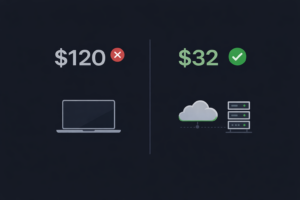
A detailed cost breakdown showing how one indie hacker went from $120/month to $32/month on AI coding tools by building a multi-model setup with local and cloud models.
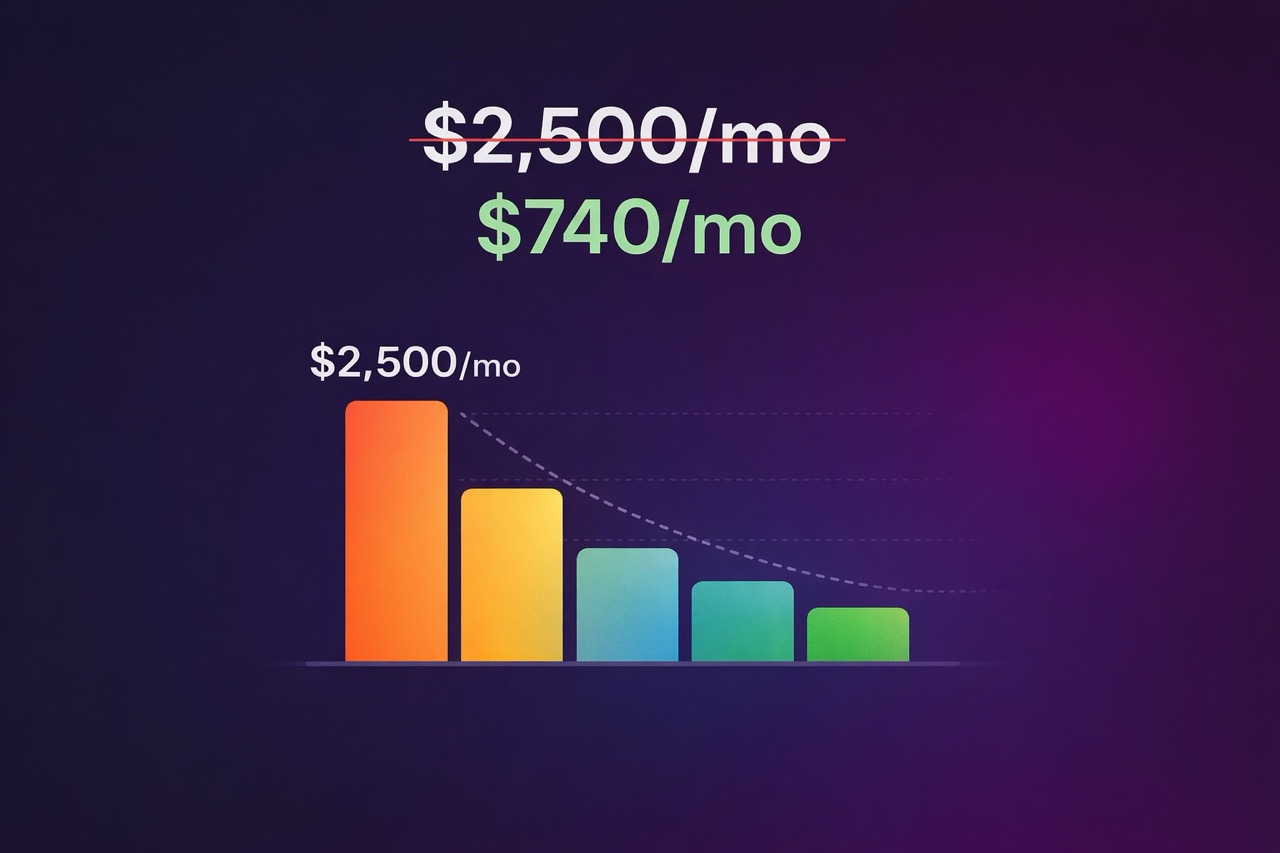
A detailed cost breakdown showing how one indie hacker went from $120/month to $32/month on AI coding tools by building a multi-model setup with local and cloud models.
I tracked my AI usage for two weeks. Every prompt, every model, every task. Here's what I found:
15% of my prompts were complex — architecture decisions, debugging tricky issues, designing systems. These genuinely needed a top-tier model.
35% were medium complexity — writing features, refactoring code, building components. A good mid-tier model handled these fine.
50% were simple — autocomplete, boilerplate, test generation, formatting, simple questions. A cheap or local model crushed these.
I was paying premium prices for a model to write import React from 'react'. That's like hiring a lawyer to fill out a change-of-address form.
Here's exactly what I run now:
Local (Free): Ollama + Llama 3 8B on my MacBook Pro M2. Handles autocomplete, simple code generation, and basic questions. Runs entirely on my machine. Cost: $0. Continue.dev (VS Code extension) connected to my local Ollama instance for in-editor completions.
Cloud — Cheap Tier ($8-12/month): Claude Haiku via API for medium tasks that need more intelligence than my local model. At $0.25 per million input tokens, this is absurdly cheap. I use maybe 30-40M tokens/month on this tier. GPT-4o Mini as backup — sometimes Haiku struggles with certain code patterns. Mini picks up the slack. Similar pricing.
Cloud — Premium Tier ($15-20/month): Claude Opus via API for the hard stuff. Architecture planning, complex debugging, system design. I use this maybe 10-15 times a day, keeping prompts focused and concise. At current rates, this runs me $15-20/month.
Total: ~$32/month (down from $120)
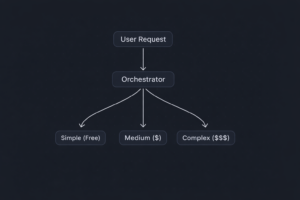
I don't manually decide which model to use for each task. I built a simple router — took me about 2 hours.
It's a small Python script that runs as a local proxy. When I send a prompt from my editor:
1. It checks the prompt length and complexity (using simple heuristics — keyword detection, token count, whether it references multiple files).
2. Routes simple stuff to Ollama locally.
3. Routes medium stuff to Haiku.
4. Routes complex stuff to Opus.
5. Logs everything so I can see my spend in real-time.
The heuristics aren't perfect, but they don't need to be. Even a rough 70/20/10 split between cheap/medium/expensive saves a ton.
As businesses increasingly rely on digital technologies, the risk of cyber threats also grows. A robust IT service provider will implement cutting-edge cybersecurity measures to safeguard your valuable data, sensitive information, and intellectual property. From firewall protection to regular vulnerability assessments, a comprehensive security strategy ensures that your business stays protected against cyberattacks.
Honestly, the quality difference is negligible for my day-to-day work. Here's what changed:
Autocomplete: Local Llama 3 is slightly less "magical" than Claude-powered autocomplete. Maybe 80% as good. Totally fine.
Feature building: Haiku handles this well. It occasionally needs a follow-up prompt where Opus would nail it first try, but the cost difference makes up for the extra 30 seconds.
Complex work: Still using Opus for this. No change in quality. I just use it deliberately now instead of as a default.
The one thing I genuinely miss is the seamless UX of Cursor. My setup requires a bit more manual switching. But $88/month in savings buys a lot of tolerance for minor friction.
New setup: Ollama (local) — $0 — 50% of prompts. Claude Haiku API — $8-10 — 35% of prompts. Claude Opus API — $15-20 — 15% of prompts. GPT-4o Mini (overflow) — $2-4 — as needed. Total: ~$32/month.
Old setup: Cursor Pro — $20. ChatGPT Plus — $20. Other AI tools — $80. Total: $120/month.
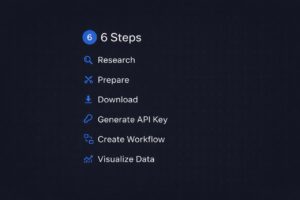
1. Install Ollama (brew install ollama on Mac). Pull Llama 3 8B. This takes 10 minutes.
2. Get API keys from Anthropic and OpenAI. Load $20 on each to start.
3. Set up Continue.dev in VS Code and point it at your local Ollama.
4. Build or grab a router — search GitHub for "LLM router" or "model proxy." There are several open-source options.
5. Track everything for two weeks. Adjust your routing thresholds based on real data.
This isn't just about saving money. It's about being intentional. When you're forced to think about which model handles which task, you start writing better prompts, breaking problems down more clearly, and understanding what AI is actually good at versus what you should just code yourself.
Key Takeaways:
Install Ollama this weekend and try running your simple coding tasks locally for a week. Just that one change will show you how much of your AI spend is going toward tasks that don't need a premium model.
How much can I realistically save by switching to a multi-model AI setup?
Based on real usage data, you can save 60-73% on AI coding costs. A typical developer spending $120/month on Cursor Pro, ChatGPT Plus, and other tools can drop to about $32/month by routing 50% of tasks to free local models, 35% to cheap cloud models, and only 15% to premium models.
Is Ollama good enough for coding tasks?
Ollama running Llama 3 8B handles about 80% as well as Claude for simple tasks like autocomplete, boilerplate generation, test writing, and basic questions. It runs entirely on your machine for free with no rate limits. It's not as good for complex reasoning or multi-file architecture decisions.
How long does it take to build an LLM routing proxy?
A basic Python routing proxy takes about 2 hours to build. It uses simple heuristics (keyword detection, token count, file reference counting) to classify prompts as simple, medium, or complex, then routes them to the appropriate model. You don't need perfection — even a rough 70/20/10 split saves significant money.
What is the cheapest way to use Claude API for coding?
Claude Haiku at $0.25 per million input tokens is the cheapest Claude model and handles most medium-complexity coding tasks well. For a typical developer using 30-40M tokens/month on this tier, the cost is only $8-12/month. Reserve Claude Opus ($15/M tokens) for complex architecture and debugging only.
Can I replace Cursor Pro entirely with free tools?
You can get close. Continue.dev (free VS Code extension) connected to a local Ollama instance gives you AI autocomplete and chat in your editor at zero cost. The autocomplete is about 80% as good as Cursor's Claude-powered version. Adding a $10-20/month API budget for hard tasks gets you comparable overall capability.
What should I track to optimize my AI spending?
Track every prompt for two weeks, noting: the task type (autocomplete, feature building, debugging, architecture), which model handled it, the token count, and the cost. Most developers discover that 50% of their prompts are simple tasks that don't need a premium model. Use this data to set routing thresholds.



Field Experience
SAAS Founders Supported
Client Satisfaction
Faster Feature Delivery
Onboarding team

+ (92) 321 045 5502
contact@zenveus.com

4539 N 22nd St, Ste R, Phoenix, Maricopa County, Arizona, 85016
Office #2, 2-C St 1, DHA Phase 7 Ext., Karachi, Sindh, 75500